 Exit
Overview
The Exit object terminates a session on the server, driven by the application logic or the caller. When a session ends, the caller is either disconnected from the media platform or handed back to a higher-level application, depending on the exit type.
The Exit object is often used within a Hyperlink object, allowing the caller to end an application using a predefined command like good-bye. The designer of the application can also decide to use the Exit object to end the call after a certain number of No Input or No Match events.
The Object Definition below covers the configuration of the Exit object with VoiceObjects Desktop. For information on how to define this object type using VoiceObjectsXML refer to the VoiceObjectsXML Definition paragraph.
The Exit object belongs to the object category Actions.
Dialog Flow Scenario
The first dialog flow example describes a standard exit dialog scenario within a voice portal in which the Exit object is used as an exit option within the main menu.
|
Object – Caller |
Dialog Flow |
|
|
[ |
|
|
Main menu! You have the following options … If you would like to leave the Voice Portal just say exit. |
|
|
Exit |
|
|
Thank you for using the Voice Portal, we look forward to hearing you soon. Goodbye. |
|
< Set the dialog exit event to CallerExit> and < Disconnect the call > |


The next dialog flow example demonstrates a voice portal having a phone banking application as one of its sub-services. The voice portal framework is realized with handcrafted VoiceXML pages. The phone banking service is invoked through the processing of a <subdialog>element from one of the VoiceXML pages that will hand the dialog processing and control over to the corresponding server instance. When ending the phone banking service through the use of an Exit object, the session on the server ends and, instead of disconnecting the call, the dialog control is handed back to the original VoiceXML page that had triggered the subdialog.
|
Object – Caller |
Dialog Flow |
|
VoiceXML |
< Start Phone Banking service via <subdialog> > |
|
|
[ |
|
|
Main menu! You have the following options |
|
|
Exit |
|
|
Thank you for using the Phone Banking service. |
|
< Set the dialog exit event to CallerExit > and < Return to the main dialog > |
|
|
VoiceXML Page |
Welcome back to the Voice Portal. |
The third example covers the dialog flow of a customer care voice portal for a mobile operator. Mobile operators divide their subscriber base usually into two distinct groups – prepaid and postpaid. Each group will dial into the same service number as a front door to the self-care portal but will be served with individual call flows according to their subscription status. The dialog flow below shows the concept of service chaining (see also the respective dialog exit type in the Processing section below) where the root service Front Door is chained with the Prepaid / Postpaid service through an Exit object that is processing the transfer with attached data.
|
Service |
Object – Caller |
Dialog Flow |
|
Front Door |
|
[ |
|
|
< Lookup Prepaid / Postpaid subscriber |
|
|
|
< Set dialog exit event to ServiceChaining > and < Transfer to the Prepaid / Postpaid service with attached data such as remaining minutes > |
|
|
< Chain Front Door service with Prepaid service > |
||
|
Prepaid |
|
[ |
|
|
[ |
|
|
|
Exit |
|
|
|
[ |
|
Object Definition
The Definition of the Exit object provides the following sections:
· Goodbye Message
To define the output informing the caller that the application will end.
· Processing
To specify the desired type of exit behavior.
· Parameter Set
To optionally specify parameters to be passed on.
· Options
To configure processing options.
For further details regarding additional object configuration refer to Pre-/Postprocessing, Event Handling, Tuning, and Properties in this Object Reference.
Goodbye Message
The message specified in the Goodbye Message section is played to the caller before the application disconnects the call or returns to the main dialog. It is typically used to inform the caller that the application will end. For further details on output definitions refer to the Output object in this Object Reference.
Processing
In the Processing section, the dialog exit type is defined (see below) as well as the destination for the selected exit type if appropriate. The destination is either a string (for exit types Service chaining and Submit) or a Plug-In object (for exit type Plug-In).
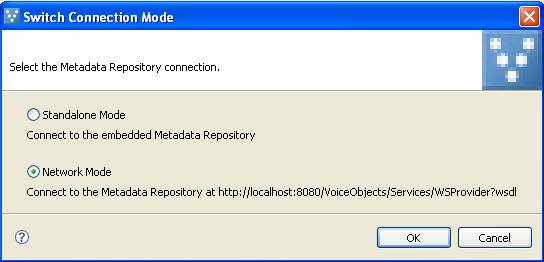
The Dialog exit type can be one of the following:
· Default
Initially, the dialog exit type is set to Default,indicating that it is controlled by the corresponding service. For more details on how to set the dialog exit type in the service, refer to Chapter 2 – Configuring Servers and Services in the Deployment Guide.
· Disconnect
The dialog exit type should explicitly be set to Disconnect if the call has to be disconnected when processing the Exit object, independent of the setup of the corresponding service. When this exit type is selected, parameters may optionally be passed to the media platform. See the Parameter Set section for more details.
· Exit
Hands control over the call back to the media platform, which may either disconnect it or transfer it to some other party (e.g. a Call Center agent). When this exit type is selected, parameters may optionally be passed to the media platform. See the Parameter Set section for more details.
· Plug-In
Processes a Plug-In object as the final step of the dialog. In this case, the plug-in uses its own parameter set as opposed to the one defined in the Exit object.
Note that since the dialog session is already terminated, it is not possible to return from the plug-in.
· Return
Returns call control to a surrounding dialog represented by an external VoiceXML page that initially triggered the processing of the current service by using a <subdialog>element. When this exit type is selected, parameters may optionally be passed to the media platform. See the Parameter Set section for more details.
· Service Chaining
Performs a submit operation to hand over control to another VoiceObjects service. The current service is terminated and the new one started. With this exit type, parameters may optionally be passed to the next service. For convenience the parameters vsDriver, vsLanguage, vsInputMode and vsRespectUserAgent are submitted automatically to achieve consistency among the services of the chain. To overwrite them, define them in the parameter set.
In the Destination field, the VSN of the next service must be defined. This implies that the service is hosted on the same VoiceObjects Server. Alternatively, a full URL pointing to a different VoiceObjects environment can be provided. If a full URL is provided, all parameters including the VSN of the next service must be transmitted using the Parameter Set.
For chained services a master dialog ID is maintained in addition to the dialog ID of the service itself. The master dialog ID is the same across all services of the chain session whereas the dialog ID is specific to one individual service session. It will get logged to Infostore along with other information such as the position of a service in the chain.
· Submit
Performs a submit operation to hand over control to some other application. When this exit type is selected, parameters may optionally be passed to the media platform. See the Parameter Set section for more details.
When terminating a dialog session through the processing of an Exit object the exit event of the dialog session is always set to the value ExitObject. The status of the exit event is available within an Expression object through the function EXITEVENT or within a Script object through the function vo.exitEvent().This information can be retrieved in dialog end processing of a Module object.
@8 Tip: In the text and Web channel, use Exit objects in all places that you know terminate the dialog. As an example, if you build a text channel application that provides callers with the number of remaining pre-paid minutes, use an Exit object to show this number instead of an Output object. This ensures that the session is immediately freed up instead of having to wait for a session timeout. Additionally, the writing of statistical information for Infostore is optimized.
Parameter Set
In the Parameter Set section, Parameters for the dialog exit types Exit, Return, Submit, Disconnect and Service Chaining are defined which are placed into a name list. The Alias field may be used to define the variable name under which the parameter is accessible. Defining an alias is optional. If left empty, the parameter is accessible under its reference ID. This means in particular that for constant values, an alias needs to be defined (as they do not have a reference ID).
When passing Collection objects, make sure to wrap them with the MASKXML Expression function to ensure that the XML does not break the markup code that is generated.

i8 Note: Note that when using the Exit object to initiate another VoiceObjects service (typically via exit type ServiceChaining), the syntax for initial URL parameters described in Service URL Configuration in Chapter 4 – Service Deployment in the Deployment Guide must be followed. In particular, the prefixes such as var (for Variable and Collection objects) and lay (for Layer objects) must be used, so that in these cases it is strongly recommended to fill the Alias fields.
In service chaining, parameters can be transmitted either externally through markup and HTTP requests, or internally within the VoiceObjects Server instance. In the internal case, it is required that the chaining target resides on the same instance as the origin service. The choice between external and internal parameter transfer can be configured on the Service object.
Options
The Options section of the Exit editor provides one setting that influences which exit type is written to System DB Logging.

Logged exit type defines the exit type that is written to the database. This is useful e.g. when the Exit object is used to initiate a transfer to an agent (e.g. using a Plug-In object) and subsequent reporting expects to see the exit type for the dialog set to Transfer to correctly classify it. The default setting of Default indicates that no manual adjustment of the exit type is desired, and the one automatically determined by VoiceObjects Server is written to the database.
VoiceObjectsXML Definition
The Exit object is represented by the VoiceObjectsXML element <exit>. It has three attributes and five groups of children.
In addition, the element has the standard attributes described in the XDK Guide.
The <exit> element uses the embedded <parameterSet> element.
Exit
Attributes
· exitType
Defines the exit type. One of default, disconnect, exit, plugin, return, submit, serviceChaining. If not specified, defaults to default.
· loggedExitType
Defines the exit type written to System DB Logging. One of default, endOfDialog, exception, hangup, timeout ortransfer. If not specified, defaults to default.
· destination
Defines the destination for exit type submit. May be a constant string, or a reference to an Expression, Script, or Variable object.
Children
· <expression usage=precondition> or
<variable usage=precondition> or
<collection usage=precondition> or
<script usage=precondition>
Defines the precondition for the Exit object.
· <sequence usage=preprocessing>
Defines the preprocessing sequence for the Exit object.
· <output>
Defines the goodbye message.
· <parameterSet>
Defines the parameter set for the Exit object. Only relevant for the exit types exit, return, submit, disconnect, serviceChaining.
· <eventHandling>
Defines the event handling for the Exit object.
· <tuning>
Defines the tuning settings for the Exit object.
Example
<exit exitType=disconnect>
<output>
<outputItem><text>Thanks for calling, and goodbye.</text></outputItem>
</output>
</exit>
ParameterSet
Children
· +<item>
Defines the list of entries in the parameter set. The use of the alias attribute is optional when the object attribute is used, and required when the valueattribute is used.
Example
<parameterSet>
<item alias=customer object=#Customer number/>
<item alias=locale value=de-DE/>
</parameterSet>
Item
Attributes
· object
Defines a reference to an object. If this attribute is defined, the value attribute must not be defined.
· value
Defines a constant value. If this attribute is defined, the object attribute must not be defined.
· alias
Defines the parameter alias for the parameter.
Example
<item alias=premium object=#Annual premium/>
<item alias=locale value=en-US/>
Object Interoperability
The table below lists all object types that can reference an Exit object:
|
Icon |
Object Name |
Use Case Example |
|
|
A common use case for an Exit object is within the Menu object where one Menu item offers the exit of the application. |
|
|
|
An Exit object can be used within a Sequence object to automatically end the dialog at a certain point (typically at the end of the sequence). |
|
|
|
An Exit object can be used within either the THEN or the ELSE item of an If object. |
|
|
|
An Exit object can be used in any WHEN item and the ELSE item of a Case object. |
|
|
|
An Exit object can be referenced within a Goto object. |
|
|
|
The most common use case for an Exit object is within a Hyperlink object where the caller activates the Exit object through a particular voice command. |
|
|
Any object type providing |
The dialog can automatically be ended when a certain event occurs. |
|


Object Naming Conventions
In order to leverage the capabilities of the integrated documentation of VoiceObjects it is important to provide intuitive and self-explanatory object names and descriptions.
The name of an Exit object should provide the information whether a message is played and how the call will be ended (disconnect vs. return to any other dialog). The following table provides three examples as a general guideline:
|
Name |
Description |
|
|
Play a short message to the caller and disconnect the call. |
|
|
Disconnect the call without any notification. |
|
|
Return to the main dialog of the voice portal. |