 Loop
Overview
The Loop object allows you to repeat the processing of a sequence of objects while a given condition evaluates to true. The Loop object is finished when this condition evaluates to false.
It is possible to have VoiceObjects Server check the condition either before or after processing the given objects. This allows you to implement standard loop constructs of the type WHILE (condition) {…} and DO {…} WHILE (condition) known from other programming or scripting languages.
The Object Definition below covers the configuration of the Loop object with VoiceObjects Desktop. For information on how to define this object type using VoiceObjectsXML refer to the VoiceObjectsXML Definition paragraph.
The Loop object belongs to the object category Logic.
Dialog Flow Scenario
The following dialog flow example uses the Loop object to repeat the output of a confirmation number as long as the caller wishes to hear it.
|
Object – Caller |
Dialog Flow |
|
|
|
|
Your confirmation number is 5 4 1 7 6. |
|
|
Shall I repeat the number? |
|
|
|
Yes. |
|
|
|
|
Your confirmation number is 5 4 1 7 6. |
|
|
Shall I read out the number again? |
|
|
|
No. |
|

Object Definition
The Definition of the Loop object provides the following sections:
· Condition Declaration
To define the conditions for entering and continuing the loop.
· Object Sequence
To specify the sequence of objects to be processed within each loop iteration.
· Options
To specify processing options.
For information regarding additional object configuration refer to Precondition and Properties in this Object Reference.
Condition Declaration
The Condition Declaration section defines the condition that needs to evaluate to true in order for the Loop object to continue. Either define an embedded condition by selecting an appropriate operator from the function drop-down list and specifying the required arguments, or link a Variable, Expression, Collection, Script, or Layer object that returns a Boolean value.
For more information on the use of functions, see the Expression object in this Object Reference.
Object Sequence
The Object Sequence section contains the sequence of objects to be processed within each loop iteration. Instead of defining an embedded sequence, an autonomous Sequence object may be linked.
Options
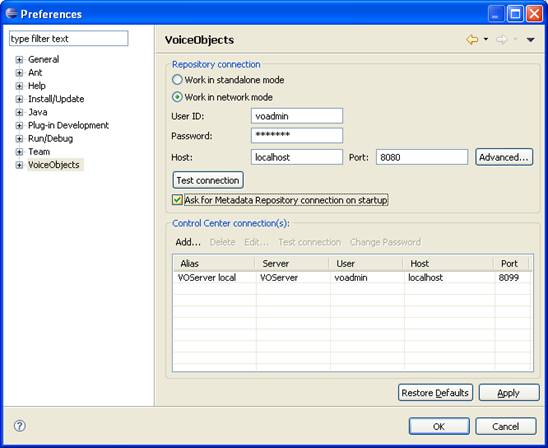
The Options section defines whether the loop has a While behavior, or a Do-While behavior.
If the check box Evaluate condition before entering the loop (WHILE…DO) is selected (which is the default), the condition specified in the condition declaration is checked before first entering the object sequence. If it evaluates to true, the object sequence is entered. Otherwise, the Loop object ends without processing any object.
If the check box Evaluate condition before entering the loop (WHILE…DO) is clear, the condition declaration is first tested after the object sequence has been processed once. Only if it evaluates to true the object sequence is re-entered.
VoiceObjectsXML Definition
The Loop object is represented by the VoiceObjectsXML element <loop>. It has one attribute and five groups of children.
In addition, the element has the standard attributes described in the XDK Guide.
Loop
Attributes
· prechecked
Indicates the loop type. Can either be true or false. If not specified it defaults to true.
Children
· <expression usage=precondition> or
<variable usage=precondition> or
<collection usage=precondition> or
<script usage=precondition>
Defines the precondition for the Loop object.
· <sequence usage=preprocessing>
Defines the preprocessing sequence for the Loop object.
· <expression usage=condition> or
<variable usage=condition> or
<collection usage=condition> or
<script usage=condition>
Defines the loop condition (i.e. the condition under which the loop is continued).
· <sequence>
Defines the sequence of objects to be processed within the loop.
· <sequence usage=postprocessing>
Defines the postprocessing sequence for the Loop object.
Example
<loop prechecked=false>
<expression usage=condition link=#LoopCondition/>
<sequence link=#Main loop sequence/>
</loop>
Object Interoperability
The following table contains all object types that can reference a Loop object:
|
Icon |
Object Name |
Use Case Example |
|
|
A Loop object can be used within the embedded sequence of a Module object. |
|
|
|
Most commonly, a Loop object is used within a Sequence object in a dialog flow. |
|
|
|
A Loop object can be used as the destination object within a Menu item inside a Menu object. |
|
|
|
A Loop object can be used as the destination object within a Correction item inside a Confirmation object. |
|
|
|
A Loop object can be either the THEN item or the ELSE item of an If object. |
|
|
|
A Loop object can be used in any WHEN item of a Case object. |
|
|
|
Loop |
A Loop object can be used within the embedded sequence of another Loop object. |
|
|
A Loop object can be referenced via a Goto object. |
|
|
|
A Loop object can be the destination of a Hyperlink object. |



Object Naming Conventions
In order to leverage the capabilities of the integrated documentation of VoiceObjects it is important to provide intuitive and self-explanatory object names and descriptions.
The name of a Loop object should describe what is done within the loop. The short description should contain a brief explanation of the loop condition, and whether the loop is pre- or post-checked. The table below lists two examples:
|
Name |
Description |
|
|
Plays the confirmation number at least once and repeats the number as long as the caller wishes to hear it. |
|
|
Retrieves data from the back-end for all desired items. Loop is entered only if at least one item is selected, and loops until all items have been retrieved from the back-end. |